English
 Arabic
 French
 Spanish
 Portuguese
 Deutsch
 Turkish
 Dutch
Dutch
 Italiano
 Russian
 Romaian
 Portuguese (Brazil)
 Greek
Greek
How to Master Vibe Coding
Development |
2026-05-22 02:48:57
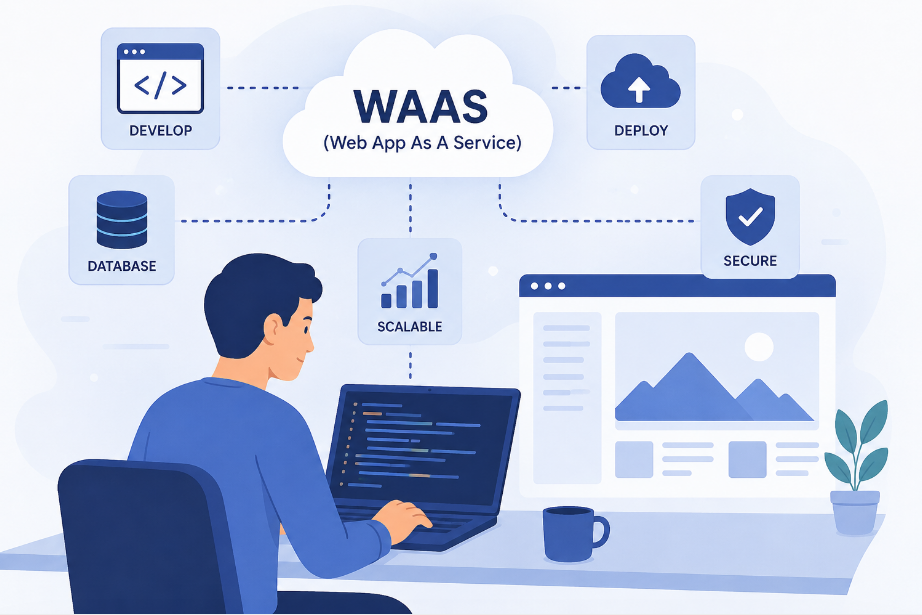
Website as a Service: the business model that sounds fancy, pays well, and will test your patience at least twice a week
So you've decided to launch a WaaS. Congratulations. You've picked a business model that is genuinely brilliant, a little chaotic, and will have you explaining the difference between a website and an app to clients for the rest of your natural life.
But here's the thing: WaaS might be the best opportunity sitting in front of freelancers, developers, and small agency owners right now. Recurring revenue, scalable delivery, and a market packed with local businesses still running websites that look like they were designed in 2009 by someone's nephew who "knows computers." The opportunity is very real. You just need to know how to launch without burning out before your first ten clients.
Let's get into it.
Simple. Instead of charging a client $3,000 upfront for a website and then disappearing into the void until something breaks, you charge them a monthly fee, usually somewhere between $100 and $300, and in return they get a professionally built site, hosting, maintenance, updates, and ongoing support.
For the client it feels like a subscription. For you it feels like passive income. For your bank account it feels like finally making a decision that adult you would actually be proud of.
The magic word here is recurring. Ten clients at $150 a month is $1,500 showing up whether you're working hard or sitting on a beach pretending to work. Fifty clients is $7,500 a month. A hundred clients and you're telling people you're "in tech" with a completely straight face and zero guilt.
The single biggest mistake people make when launching a WaaS is trying to serve everyone. Restaurants, dentists, law firms, yoga studios, real estate agents, e-commerce brands. Their pitch ends up being "we build websites for businesses," which is technically accurate and completely useless as a marketing message.
Pick one lane and go deep.
Here's the logic: if you build ten websites for plumbers, you basically become a plumber website expert without touching a single pipe. You know exactly which pages matter, what customers search for, how the booking flow should work, which local SEO terms to target. By the time you're building your eleventh plumber website, it costs you almost nothing in time or energy to deliver. That margin is where the real money hides.
The best niches for WaaS are local service businesses. Plumbers, electricians, HVAC companies, roofers, landscapers, dentists, chiropractors, salons, restaurants. These businesses are everywhere, they desperately need websites, they're generally not great with technology, and they're more than happy to pay someone reliable to just handle it.
Pick one. Build for them. Become the undisputed website person for that industry in your city. Then, and only then, think about expanding.
WaaS only makes financial sense if you are not building every website from scratch. If each site takes you forty hours to build and you're charging $150 a month, you need that client to stick around for nearly seven months before you break even on your time. That is not a business. That is a very stressful, poorly paying hobby.
You need templates. A set of pre-built designs that cover about 80% of what your niche needs, ready to be customized with a client's logo, colors, copy, and photos in a few hours rather than a few weeks.
Webflow, WordPress with a solid page builder, Framer, Wix if you're targeting smaller budgets. All of these let you build once and reuse indefinitely. The target is to get your per-site delivery time down to somewhere between three and eight hours. At that point the numbers start making you smile.
Keep three to five template variations covering a homepage, about page, services page, contact page, and maybe a blog. That honestly covers the vast majority of local business websites that have ever existed or will ever exist.
This is the part where most people quietly sabotage themselves.
A solid WaaS pricing structure looks something like this: zero upfront fee or a small setup fee between $150 and $500, plus a monthly retainer between $100 and $300 depending on what's included. What's included? Hosting, SSL certificate, platform updates, one to two content changes per month, uptime monitoring, and basic support. That's the package. Anything beyond that gets billed as an add-on or a separate project.
The reason low or no upfront fees work so well is simple psychology. A business owner who hesitates at $2,500 upfront will often say yes to $150 a month without even blinking, even though over two years it's actually more. You're not pulling a fast one on anyone. You're just pricing in a way that matches how real humans think about spending money.
And please, for the love of everything, do not charge $50 a month. You will end up resenting your clients, your work, your laptop, and every decision that led you to this moment. Charge what the service is worth and you'll attract clients who actually respect it.
Nobody who has ever launched a WaaS said building websites was the hard part. It's always the same answer: getting clients.
Here's a process that works without requiring you to be an extrovert or a natural born closer.
Start by finding businesses in your niche with genuinely bad websites. This takes maybe twenty minutes of Googling. Look for sites that are slow, visually painful, broken on mobile, or that haven't been updated since a previous US president was in office. These are your people.
Send them a Loom video. Two to three minutes, screen recorded, walking through their current site and pointing out two or three specific problems. Keep it kind, keep it helpful, and mention that you specialize in exactly this type of business. No aggressive pitch, no walls of text, just genuine usefulness.
Get them on a call, not to sell them anything, but to ask questions. What do they wish their website did better? Where do most of their new customers actually come from? What would having a great website mean for their business this year? Let them talk themselves into wanting it.
Then offer the solution. Show a relevant template or demo, explain the monthly model simply, and make it easy to say yes. You're not closing a deal. You're removing friction for someone who already knows they need what you have.
Onboarding is where WaaS businesses quietly fall apart. Handle it badly and you'll spend six weeks chasing someone for their logo files while your profit margin dissolves into a string of "so sorry, just saw this!" emails.
Build a clean onboarding form and send it before you lift a finger. Ask for everything upfront: business name, address, phone number, services, logo files, photos if they have them, a short business description, and social media links. Make it crystal clear that nothing starts until the form is complete. People move surprisingly fast when the alternative is waiting.
Set timeline expectations in writing. When will the site be ready? How many revision rounds are included? What does the feedback process look like? Put it all in a simple document and send it on day one. Future you will be deeply grateful.
Use some kind of project management system, even a basic one. Notion, Trello, a colour coded spreadsheet, anything. Once you're managing twenty clients at different stages of onboarding simultaneously, your brain will no longer be a reliable place to store information. Trust the system, not your memory.
Build the site, populate it with their content, run through a quality check, and send the preview link. Then take a breath, because this is the moment every client temporarily transforms into a part-time creative director with very strong opinions.
"Can the logo be bigger?" Yes.
"Can we try a different shade of blue?" Of course.
"My wife thinks the font looks too modern." Interesting, noted.
"Actually, can we go back to the original font?" Absolutely, great call.
This is just part of the process. Build two revision rounds into your workflow and be clear upfront that anything beyond that is billed additionally. Most clients naturally wrap things up within two rounds once they know there's a boundary.
When the site goes live, make a small moment of it. A congratulations message, a short video walkthrough of the finished product. It costs you nothing and it makes clients feel genuinely good about the decision to hire you. Happy clients renew their subscriptions. Happy clients refer their friends without being asked. Happy clients are, in every sense, the entire business model.
Getting a new client costs real time and energy. Keeping an existing one costs almost nothing. Which means retention is quietly the most important number in your entire business, and most people don't pay attention to it until clients start disappearing.
A few things that keep clients subscribed and happy without requiring much effort from you:
Check in quarterly. A short, genuine email asking if there's anything they'd like updated or changed. Most will say no, which is easy. Some will have a small list, which is actually great because it reminds them exactly why they're paying you each month.
Keep the site fast and functional. Nothing shakes a client's confidence faster than their own website going down or looking broken on someone's phone. Monitoring takes ten minutes to set up and saves you from finding out there's a problem through a panicked phone call at 7pm on a Friday.
Introduce add-ons when the timing feels right. Monthly SEO reporting, Google Business profile management, a blog post written for them each month. These are easy upsells for clients who are already happy and want to do more without having to manage it themselves.
The goal is simple: make staying feel easier than leaving. If the site works, the service is smooth, and you show up occasionally with something useful, most clients will stay subscribed for years without ever really thinking about canceling.
WaaS is not instant passive income. The first few months feel like a lot of effort for modest returns, and there will absolutely be a client who asks you to redo the homepage layout, disappears for three weeks, and then asks you to put it back exactly how it was.
But if you stay in your niche, systematize the delivery, price yourself properly, and show up consistently to find new clients, the model builds on itself in a way that almost no other freelance business does. Every new client you sign adds to the monthly total rather than replacing the last project. The stack just keeps growing.
Eventually the monthly revenue covers everything, and showing up to work starts feeling like a choice rather than a necessity. That's what recurring revenue actually means when it's done right.
It's worth every awkward early month. Just don't build every site from scratch and definitely don't charge $50 a month.
The step most people skip is also the most important one: starting. Pick your niche today. Build one template this week. Send five Loom videos to local businesses with bad websites by Friday. The whole thing begins right there.